How a delivery tracking link for customers cuts where’s my parcel calls and reduces dispatcher interruptions
30 Oct 2026 · 14 min read

7 min read
Key takeaways
- A delivery tracking link carrying your own name, plus automatic delivery updates triggered by driver app events, can move routine "where is my parcel" and "where's my driver" calls to self service. Test it on a pilot route and measure the calls before and after.
- A tracking page should show current progress with a stated refresh interval, a clear ETA window (for example 10:30–11:30), contact and next step actions, and a link to proof of delivery.
- Send short, event triggered messages at clear milestones, with a near arrival SMS 30–60 minutes before the start of the delivery window as a sensible starting point.
- Plain delivery updates are service messages, not marketing, so PECR's marketing consent rules don't apply to them. Keep promotional copy out of them, and cover the messages in your privacy notice under UK GDPR.
Table of contents
- What are callers actually asking, and how do those questions tie up dispatchers?
- How do tracking links and automatic delivery updates stop the calls?
- What should a great delivery tracking link show in real time?
- What should automatic delivery updates include and when should you send them?
- Which channel mix works best, SMS, email or in-app?
- How should messages and the tracking page be worded to stop follow up calls?
- What courier tracking software features matter most for a small fleet?
- How to implement these features without adding admin work
- What privacy, consent and compliance points must UK couriers consider?
- What operational metrics should you track to judge success?
- How Lodway maps to the feature set and small fleet needs
- Common mistakes, trade offs and an edge case where this advice doesn't fit
- Conclusion and next step
A delivery tracking link for customers and event triggered automatic delivery updates reduce dispatcher interruptions by giving recipients visible progress and next steps instead of a phone call. Many small UK couriers still run bookings and queries by phone, WhatsApp or spreadsheets, and routine where is my parcel calls interrupt dispatchers and delay urgent problems. Treat the drop in calls as something to test on a pilot route rather than a guaranteed outcome, ideally before peak, using our peak season checklist for couriers.
What are callers actually asking, and how do those questions tie up dispatchers?
Callers want a small set of facts, and giving each one removes a reason to call.
Below are the pieces of information callers ask for and why each reduces follow ups.
- Where is my parcel now? — caller wants a live location or clear status, showing current status prevents repeat status checks.
- Where's the driver? — caller wants confirmation of driver progress or ETA, giving a progress line avoids "are you nearly there?" calls.
- What is the expected arrival time? — caller needs a believable ETA or delivery window, a clear window reduces reschedule calls.
- Has the delivery window changed? — callers want to know revisions, showing changes clearly prevents follow ups to confirm new times.
- Was the parcel delivered? — caller needs proof of delivery, photo or signature and timestamp avoid disputes and rechecks.
- Can I reschedule or arrange redelivery? — caller needs a clear next step, a simple form or button reduces repeated calls.
- Can I give access instructions or a safe place? — callers want to update delivery instructions, one click instruction capture cuts frantic calls.
Answer these on the tracking page and in your delivery notifications for customers, and link to the proof of delivery, so the caller's question is answered before they phone.
How do tracking links and automatic delivery updates stop the calls?
Self service visibility and timely messages reduce uncertainty and so reduce routine calls.
- Behaviour change, when a delivery tracking link for customers shows progress and an ETA, recipients can check for themselves instead of interrupting dispatch.
- Reliability condition, tracking and delivery notifications for customers must be accurate and timely; poor or delayed data can increase calls rather than reduce them.
- Event triggered vs manual messages, automatic delivery updates triggered by driver app events scale without dispatcher effort, manual messages create extra dispatcher work and inconsistency.
- Short example, before the tracking link a customer rings "where's my parcel?" and the dispatcher reads job notes and replies. After the tracking link is live the customer opens the link, sees the driver 20 minutes away and a near arrival SMS, and does not call.
There is no published UK figure for how many calls tracking links remove, so measure your own before and after. Before sending texts, check what counts as marketing in the ICO's PECR guidance, and how it describes service messages in its guidance on direct marketing and regulatory communications.
What should a great delivery tracking link show in real time?
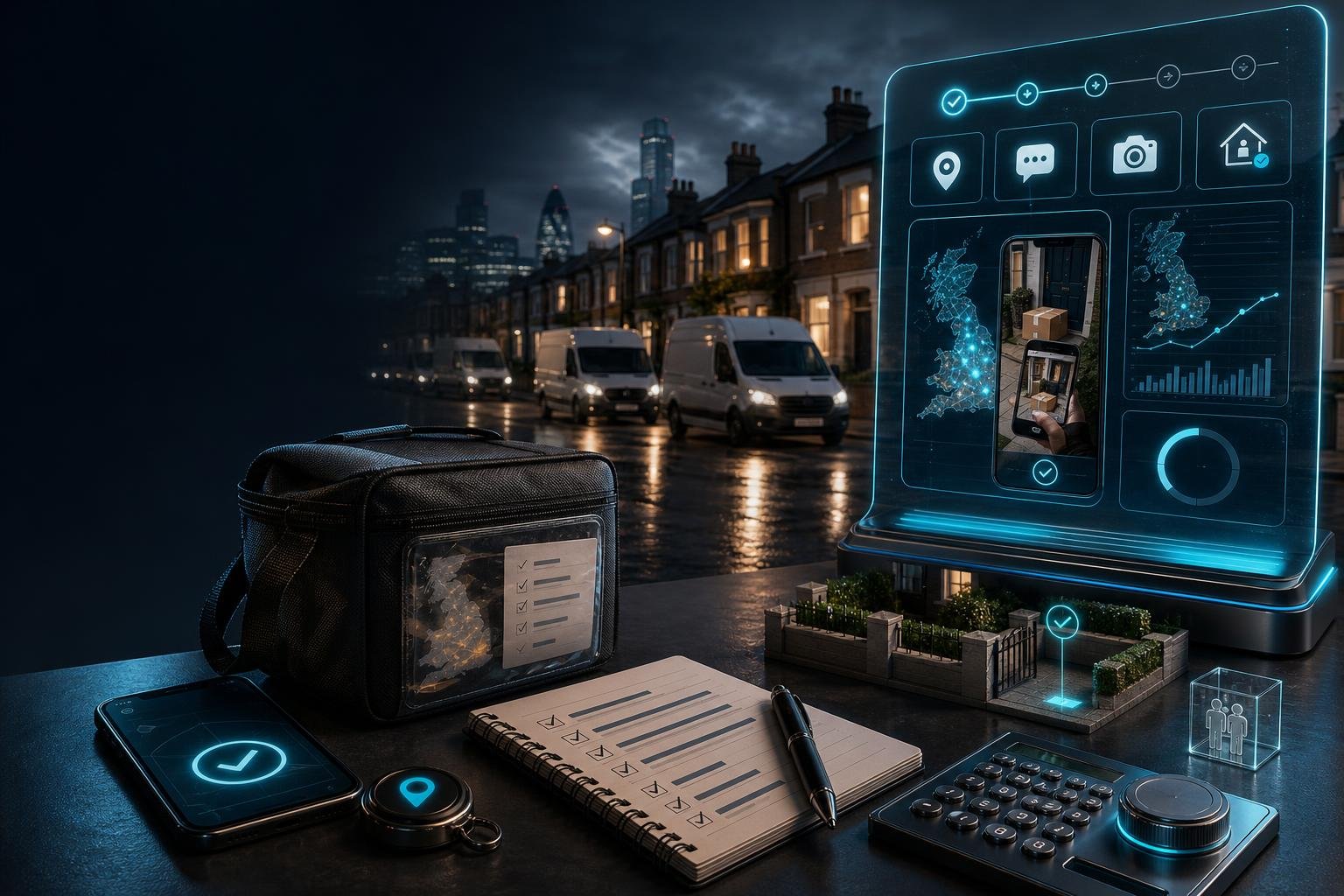
The tracking page must show current progress with a stated refresh interval, a clear ETA or delivery window, contact and next step actions, and proof of delivery under your courier's name.
A delivery tracking link for customers is a web link sent to a recipient that displays delivery progress and consignment information.
Key elements and how to write them
- Live status label and refresh definition, state exactly how current the data is, for example "Live (updated every X minutes)", using the interval your system actually uses. Calling a page live without saying how often it refreshes is a mistake.
- Driver progress, show progress using non sensitive identifiers: Van ID, driver initial, current status line (for example "En route, 3 stops left"), and an ETA line. Do not expose the driver's phone number or full name.
- Dynamic ETA and delivery window, show a time window like "due between 10:30–11:30" rather than an exact minute; windows lower complaint risk when traffic varies.
- Status updates feed, include a clear sequence of statuses: Booked → Despatched / En route → Near arrival → Attempted / Failed → Delivered.
- Contact and next step actions, include a visible "Report a problem / Change delivery" button that opens a short form capturing consignment ref, contact number and brief instructions. Example fields: Consignment ref, Name, Phone, Reason (change/damage/other), Brief instructions.
- Proof of delivery access, provide a link or thumbnail for photo or signature POD with timestamp and consignee name.
- Your own branding, the page should show the courier's own name, logo and contact details so customers know who to call.
Tracking page checklist:
- [ ] Page title and courier brand header
- [ ] Consignment reference visible
- [ ] Current status with refresh note, "Live (updated every X minutes)"
- [ ] Driver progress, van ID and driver initial only
- [ ] ETA window, for example "10:30–11:30"
- [ ] Status feed, Booked, Despatched, Near arrival, Attempted, Delivered
- [ ] Contact button, "Change delivery / Report a problem" with form fields
- [ ] POD link or thumbnail, photo or signature with timestamp
- [ ] Privacy note and support phone or email
Use clear, short labels and bold the consignment ref and ETA on the page to answer common where is my parcel calls.
What should automatic delivery updates include and when should you send them?
Send concise, event triggered messages at defined milestones with plain language content and a link to the tracking page.
Suggested milestones and template wording:
- Booking confirmation, sent immediately: include consignment ref, delivery date, recipient name, courier name and tracking link. Template, "Thanks, your delivery [REF] is booked for [DATE]. Track here: [link]."
- Despatched / En route, sent on assignment or route start: include status, expected window and tracking link. Template, "Your parcel [REF] is on its way. Estimated window: [window]. Track progress: [link]."
- Near arrival notice, a single SMS 30 to 60 minutes before the start of the window. Template, "Driver nearby, your parcel [REF] is expected between [start] and [end]. Track: [link]."
- Delivered, sent when the driver completes the job in the app: include time and POD link. Template, "Delivered at [time]. View proof: [link]. If this is not correct, report here: [link or phone]."
- Failed or attempted delivery, sent from the driver app event: short reason, next steps and redelivery options. Template, "Attempted delivery for [REF] at [time], we could not leave it. To rearrange, use: [link] or call [phone]."
Sequence and what triggers each message:
- Booking confirmation, at booking
- Despatched, when the job is assigned or the route starts
- Near arrival, when the driver is within X minutes
- Delivered, when the driver completes the job in the app
- Failed attempt, when the driver records an attempted delivery
Channels comparison table:
| Channel | Best for | Limitations | PECR / data protection note |
|---|---|---|---|
| SMS | Near arrival, delivered, failed — immediate | Short, costs apply, can be blocked | Service messages are not marketing; keep promotions out, see PECR guidance |
| Booking confirmations, POD attachments, records | Slower to be read, may land in spam | Better for detailed content, still personal data under UK GDPR | |
| Web tracking link | Universal access to status, ETA and POD | Needs mobile friendly design and link security | Describe it in your privacy notice |
| In app | Rich interaction for account holders | Requires installation and account | Useful for B2B customers, not universal |
Keep messages strictly service related and avoid promotional content inside operational updates. If you also want to send marketing, follow the ICO's PECR electronic mail marketing rules separately.
Which channel mix works best, SMS, email or in-app?
Prioritise SMS for near arrival, delivery and failure, use email for confirmations and records, and use a web tracking link as the single source of truth.
Practical rules for small fleets, 2 to 30 vans:
- If you must pick one channel, choose SMS for near arrival and delivered or failed messages, because timing messages need to be seen quickly.
- Use email for booking confirmations, invoices and POD attachments.
- Offer both where possible and let the recipient choose preferences at booking.
How should messages and the tracking page be worded to stop follow up calls?
Use plain British English, one clear action per message, and immediate next steps visible on the page or in the linked form.
- Plain language, short sentences, no jargon. Example, "Your parcel [REF] is due 10:30–11:30. Track live: [link]. To change delivery, tap here: [link]."
- One clear action per message, choose the highest value action, for example track or change or report.
- Reassurance copy, "This message is from [Courier name]. For queries call [phone]." Use your own branding to make responsibility clear.
- Avoid promotional content in operational updates, because adding marketing makes the message direct marketing under PECR. See the ICO's PECR guidance.
What courier tracking software features matter most for a small fleet?
Pick software with event triggered automatic delivery updates, a web delivery tracking link with live progress, a driver app for POD and a simple dispatch board, all under your own name.
Feature checklist and how to test:
- Live tracking links for customers, must show status and ETA; check the supplier lets you use your own branding.
- Automatic delivery updates by email and text, check they are event triggered and templated.
- Driver app with photo and signature proof of delivery, check a completed POD immediately triggers the delivered message.
- Dispatch board, check dispatchers can see job status at a glance.
- Your own name on everything, check customer facing pages and messages carry your company name.
Must have versus nice to have:
| Must have | Why |
|---|---|
| Live tracking link | Single source of truth for customers |
| Automatic SMS and email updates | Removes manual dispatcher messages |
| Driver app POD | Triggers delivered message with evidence |
| Dispatch board | One view of every job |
| Own branding | Avoids customer confusion |
| Nice to have | Why |
|---|---|
| Customer portal for accounts | Useful for repeat business |
| Payment integration | Speeds invoicing and payments |
Use these criteria to shortlist courier management software that fits a small fleet without complex IT projects.
How to implement these features without adding admin work
Use event triggered templates, define triggers clearly, train drivers on a short checklist and run everything from the dispatch board.
Implementation steps:
- Decide your notification policy, start with a near arrival message 30 to 60 minutes ahead, and record it in an SOP.
- Set up templates for each milestone with your brand wording and links.
- Map triggers to driver app events: job accepted, en route, delivery complete, failed attempt.
- Run a 2 week pilot on a sample route and record baseline call volume for comparison.
- Train drivers with one page notes on how to complete jobs, take POD photos and mark failed attempts.
- Give dispatchers a clear process for correcting a wrong status and re-sending an update.
Implementation quick checklist:
- [ ] Notification policy documented
- [ ] Templates set up and branded
- [ ] Triggers mapped to driver events
- [ ] 2 week pilot planned and baseline recorded
- [ ] Driver training note handed out
- [ ] Dispatcher correction process agreed
What privacy, consent and compliance points must UK couriers consider?
Delivery updates are service messages, so the question under PECR is whether they stay free of marketing; under UK GDPR you still need a lawful basis for using the recipient's phone number, email and location data, and must explain it in your privacy notice.
ICO guidance to read:
- PECR overview, see PECR guidance.
- PECR electronic mail marketing rules, see PECR electronic mail rules.
- Service messages versus marketing, see direct marketing and regulatory communications.
- Changes to PECR from the Data (Use and Access) Act 2025, see the ICO summary.
Key points:
- The ICO describes service messages as messages for purely administrative or customer service purposes that don't contain promotions or advertising. A plain delivery update fits that description.
- Unsolicited marketing by SMS or email normally needs consent, so do not add promotional text to delivery messages.
- Service messages still involve personal data, so tell recipients in your privacy notice what you send, why and how long you keep the data.
- If you do want to market to sole traders, PECR treats them like individuals, so check the ICO's guidance before you do.
What operational metrics should you track to judge success?
Measure before and after on a test set: inbound delivery status calls, first time delivery rate, redelivery requests and dispatcher time per call.
Metrics and how to capture them:
- Call volume relating to deliveries, log inbound calls with reason code "delivery status" for a baseline period such as 2 weeks, then compare during the pilot.
- First time delivery rate, consignments delivered on first attempt divided by total attempted consignments in the period.
- Redelivery and rebooking requests, capture via the tracking page form or dispatcher log.
- Customer satisfaction, a single 1 to 5 question sent after delivery.
- Average dispatcher time saved, time a sample of status calls or use call log durations, treated as an internal estimate.
- Always record volume, fleet size and unusual events so you don't credit the wrong change.
How Lodway maps to the feature set and small fleet needs
Lodway covers the core of this set-up under your courier's own name: live tracking links, automatic delivery updates, a driver app with proof of delivery and a dispatch board.
- Live tracking links, customers get a live tracking link to follow their delivery.
- Automatic delivery updates, delivery updates go out by email and text automatically, so dispatchers don't send them by hand.
- Driver app with POD, drivers capture photo and signature proof of delivery in the app.
- Dispatch board, dispatchers manage jobs from one board.
- Your name, not ours, everything customers see carries your courier company's name.
For the other half of the problem, see how to reduce failed deliveries.
Common mistakes, trade offs and an edge case where this advice doesn't fit
Watch for mixing marketing into service messages, inaccurate tracking data and assuming one channel reaches everyone.
Common mistakes:
- Adding promotional copy to service updates, which turns them into direct marketing under PECR, see the ICO's guidance on service messages and marketing.
- Leaving delivery messages out of your privacy notice.
- Sending a tracking link that shows stale or wrong status, which creates more calls than it saves.
- Showing an over precise ETA, prefer a window and update it.
- Edge case, high security or proof sensitive deliveries such as pharmaceuticals and high value items often need direct phone contact or extra verification; automated tracking alone may not be enough.
Conclusion and next step
A well designed delivery tracking link for customers plus plain, event triggered automatic delivery updates can move routine where is my parcel calls to self service. Test it on a pilot route, measure the results and adjust. You can try Lodway free for 14 days with no setup fee to test live tracking links and automatic delivery updates on your own routes.
Frequently asked questions
Do I need customers' consent to send delivery update texts?Not under PECR's marketing rules, as long as the texts are purely about the delivery and contain no promotions. You still need a lawful basis under UK GDPR for using their number and should explain the messages in your privacy notice, see the ICO's PECR guidance.
What exact trigger from the driver app should send the near arrival message, GPS distance, driver status or a manual button?Prefer an automatic trigger based on driver position or route progress, and test thresholds on a pilot. Starting at 30 to 60 minutes before the start of the delivery window is a sensible range to tune from.
Do I need customers to install an app to get live tracking, or is a web link enough?A web tracking link is enough for most recipients; an app is optional and suits regular business customers who want more. Use a mobile friendly web link as the single source of truth.
What do I do if the tracking link shows incorrect information and a customer calls?Have a clear dispatcher correction process and a short reporting form on the tracking page. Log the event, correct the status, resend the corrected message and check the data source, such as a job the driver didn't complete in the app.
How do I handle sole traders or small businesses who may be treated as individuals under PECR?For plain delivery updates it makes no difference, because service messages aren't marketing. It matters only if you send them marketing, where PECR treats sole traders like individuals, so check the ICO's business to business guidance first.
Can I include a quick promotional line in a delivery message, or will that make every message marketing?Adding a promotion makes that message direct marketing under PECR, so keep operational messages purely service related unless you have marketing consent.